
alexa amazon review from a us household: privacy, convenience, and the future of voice control
alexa amazon review from a us household: privacy, convenience, and the future of voice control
In a growing number of U.S. homes, Amazon’s Alexa is not a futuristic gadget. It is just part of the furniture, like a microwave or a TV. Yet this “furniture” is an always-on microphone connected to one of the world’s largest data companies. From the inside of a typical household, what does that actually mean for privacy, convenience and the future of voice control?
How Alexa Really Fits Into a U.S. Household
Spend a week in a home with one or two Echo speakers and the pattern repeats itself with minor variations. The device is rarely used for “fancy” features. It is used for the small, boring tasks that happen dozens of times a day.
Common everyday uses reported by U.S. households include:
- Setting kitchen timers while cooking
- Asking for the weather before leaving home
- Playing music or radio stations in the background
- Turning smart lights on and off by voice
- Adding items to a shared shopping list
- Answering quick trivia (“How many ounces in a cup?”)
In that sense, Alexa is closer to a “hands-free interface layer” for the house than a traditional gadget. You do not sit down to “use Alexa”; you talk to it while doing something else.
This ambient nature is exactly what makes Alexa useful—and exactly what raises the hardest privacy questions. An assistant that blends into the daily routine becomes easier to forget and easier to let into sensitive moments.
What You Actually Need to Make Alexa Useful
From the standpoint of a U.S. household buying into the Alexa ecosystem, the initial shopping list is relatively predictable.
- At least one Echo device (Dot, Pop, Echo Show, or built-in in a Fire TV)
- A stable Wi-Fi network covering the main living areas
- An Amazon account (usually the one already used for Prime)
- Optional: smart bulbs, smart plugs, or a smart thermostat compatible with Alexa
Setup is intentionally simple. Plug in the Echo, open the Alexa app, connect to Wi-Fi, log in to Amazon, and it is ready to respond to “Alexa.” In practice, the most time-consuming part is not the initial configuration, but the household negotiation that follows: who gets access to which features, whose calendar is linked, and which voice profiles are set up.
For multi-person households, Amazon now encourages voice profiles so that Alexa can recognize different family members and adapt responses. In theory, this increases convenience (personalized music, personal reminders). In practice, it also means separate voice samples are stored and associated with individual identities, which has direct privacy implications.
The Real Convenience: What Changes After a Month
After the first days of experimentation, use tends to stabilize. The question is not whether Alexa can do something, but whether the household finds it natural to offload that task to voice control.
Three usage patterns stand out.
1. Micro-automation of routines
Alexa’s automation is less about robotics and more about removing friction. A typical U.S. family might set “Routines” such as:
- “Good morning” → turn on lights, give weather, read headlines, start coffee maker (via smart plug)
- “I’m home” → turn on entryway light and play a specific playlist
- “Movie night” → dim living room lights and turn on the TV
Individually, each action is trivial. Combined, they save a few seconds and a bit of mental load every day. Over time, that becomes the main value proposition: less micro-management of the environment.
2. Low-friction audio at home
For many U.S. users, Alexa essentially replaces a radio and a basic stereo system. You can say, “Alexa, play 90s rock,” or “Alexa, play NPR,” while your hands are full. The key here is convenience over quality. Echo speakers are not audiophile gear; they are “good enough” for background listening in the kitchen or bedroom.
Streaming services like Amazon Music, Spotify, Apple Music, and others integrate relatively well, but households often stick to whichever service first gets linked. Changing that default is possible but rarely done, which silently locks the household into one ecosystem for months or years.
3. Help for kids, seniors, and accessibility
An unexpected use case in many homes is accessibility. Voice control is easier for some older adults than navigating a smartphone menu. Children also use Alexa heavily—for music, jokes, and basic homework questions—often more naturally than adults.
This creates an asymmetry: those who rely on Alexa the most are often the least conscious of the data implications. A six-year-old asking for bedtime stories is not thinking about cloud logs and retention policies.
Privacy: What Alexa Listens To, Keeps, and Shares
Amazon states that Echo devices listen locally for the wake word (“Alexa,” “Echo,” “Computer,” etc.) and only start recording and sending audio to the cloud once the wake word is detected. In theory, that limits continuous recording. In practice, misfires do happen. Households report Alexa activating when it hears something that sounds vaguely similar to the wake word on TV or in conversation.
Every interaction is, by default, stored in Amazon’s servers and visible in the Alexa app as “Voice History.” You can play back old requests and transcripts. This is useful to verify what Alexa heard when it misunderstood. It also demonstrates that significant voice data is kept, often for years, unless you change settings.
On the privacy front, U.S. households face three main questions.
1. Who hears the recordings and why?
Historically, Amazon used human reviewers (employees or contractors) to listen to a fraction of anonymized recordings to improve recognition accuracy. After public criticism and regulatory attention, Amazon added options to opt out of this program. However, the default for a long time was participation, and most users never looked at the setting.
Even if you opt out of human review, your voice data still trains machine learning models. This is a standard practice in voice assistants, but it means your household’s speech contributes to systems you do not control, in ways that are not fully transparent.
2. What if law enforcement or third parties want access?
Amazon has, in past U.S. cases, provided Alexa data to law enforcement when presented with legal requests or warrants. Each case is specific, but the precedent is clear: your smart speaker is a potential source of evidence. From a legal standpoint, it is not fundamentally different from phone logs or cloud emails. From a domestic standpoint, it adds a new listening point in private spaces like kitchens and bedrooms.
3. How much can you really delete?
Amazon offers granular controls: you can delete voice recordings one by one, by date range, or automatically (for example, auto-delete anything older than 3 or 18 months). You can also say, “Alexa, delete what I just said” or “Alexa, delete everything I said today.”
These tools give users more control, but they do not fully answer what remains in derived form. Even if raw audio is deleted, machine learning models that were trained on aggregated data are not “untrained” per household request. At a practical level, if you care strongly about minimizing data, the only robust strategy is to limit what is said near the device and where you place it.
Managing Risk: Concrete Steps a Household Can Take
For U.S. users who want the convenience without fully surrendering privacy, there are practical mitigations. None are perfect, but they shift the balance.
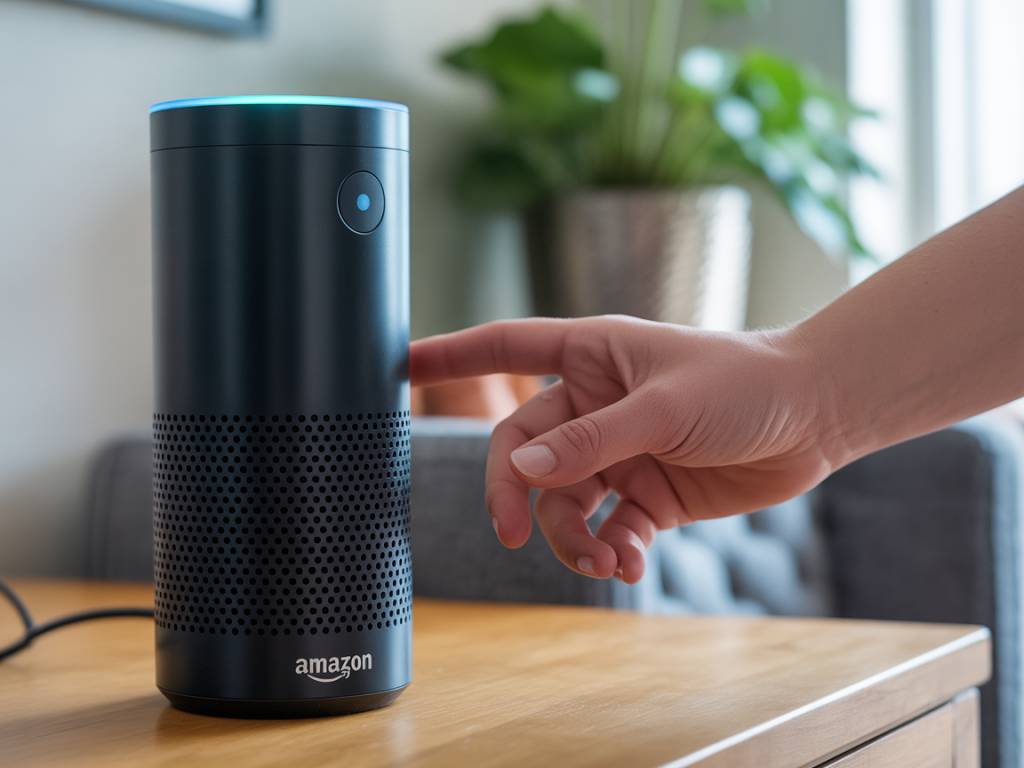
- Use the physical mute button. Every Echo device has a hardware button that cuts the microphones. Some households keep Alexa muted by default and only unmute during specific routines.
- Control the location. Placing Alexa in the kitchen or living room, but not in bedrooms or home offices, reduces the amount of sensitive speech captured.
- Adjust voice data retention settings. In the Alexa app, switch to short retention or no saving of recordings where available, and regularly review the voice history.
- Limit third-party “skills.” Many Alexa “skills” are developed by external companies. Activating fewer skills reduces the number of entities that might receive your voice data.
- Separate profiles and permissions. Decide which accounts are linked (music, calendars, shopping) and who in the home can make purchases or control smart locks by voice.
None of these measures turn Alexa into a private device in the strict sense. They do, however, give households more agency over how much they trade for convenience.
Shopping With Your Voice: Convenience vs. Impulse
For Amazon, one core purpose of Alexa is frictionless commerce. You can say, “Alexa, order paper towels,” and a familiar brand appears on your doorstep, usually from your order history.
From a household perspective, this voice shopping has mixed reviews.
- Pros: Fast reordering of household staples, no screen needed, useful when hands are full.
- Cons: Easy to lose price visibility, rely on defaults, or approve orders triggered by children or misheard commands.
U.S. families often disable one-click voice purchasing or require a PIN code to prevent accidental or unauthorized orders. In many homes, Alexa ends up being a tool more for building shopping lists than for placing orders directly. People say, “Alexa, add milk to my shopping list,” and then complete the actual purchase later on a phone or at a physical store, where comparison is easier.
Is Alexa Actually Making Life Easier?
When households are asked whether Alexa is “worth it,” the answer tends to depend on how much they use it for smart home control versus only basic tasks.
In a non-connected home with no smart bulbs, no smart plugs, and minimal automation, Alexa mostly acts as a speaker plus question-answer box. The value is there, but limited. Many of its functions can be replaced by a smartphone and a cheap Bluetooth speaker.
In a home with integrated smart lighting, thermostats, and entertainment systems, Alexa becomes the simplest universal remote. Instead of managing four different apps for lights, plugs, TV, and thermostat, you centralize them in voice control. Here, the time saved and comfort gained are more visible, particularly for larger homes or families with children.
The trade-off is clear: the more you integrate Alexa into your domestic infrastructure, the more dependent you become on Amazon’s ecosystem and its policies.
The Future of Voice Control at Home
Alexa is no longer the only major player in U.S. households. Google Assistant, Apple’s Siri, and emerging AI assistants from other companies all compete for the same role: the ambient interface of the home.
Three trends are shaping what comes next.
1. From voice-only to multimodal assistants
Devices like the Echo Show already combine voice with touchscreens and cameras. The trend is toward assistants that can see (via camera), hear (via microphones), and display (via screens). A cooking assistant might show recipes, adjust timers, and answer questions without you needing to touch anything with flour-covered hands.
That added convenience also adds new data streams: video, facial recognition, presence detection. Households considering future devices will need to evaluate not only what the assistant hears, but also what it sees.
2. Deeper AI and more “initiative” from the device
As large language models and generative AI are integrated into voice assistants, Alexa-type devices will be less script-based and more conversational. Instead of saying, “Alexa, set a timer for 10 minutes and remind me to check the oven,” you might say, “Don’t let me burn this lasagna,” and the system infers what to do.
The assistant may also start taking initiative: suggesting you re-order items before you run out, adjusting thermostats based on your past behavior, or warning you of unusual activity. This raises new questions: when is initiative helpful, and when is it nudging or manipulation aligned more with the provider’s interests than yours?
3. Interoperability and regulation
Standards like Matter aim to make smart home devices work across ecosystems, so that a smart bulb can talk to Alexa, Google, or Apple without being locked in. If this succeeds, it could give households more choice and reduce dependence on a single company.
On the regulatory side, U.S. and European authorities are increasingly scrutinizing how tech companies handle voice data, especially for children. This may lead to stronger disclosure requirements, clearer opt-in for data use, and stricter retention limits. For users, regulation will not remove all risks, but it can set a minimum floor of protections.
Who Should Consider Alexa—and Who Probably Should Not
Looking at real-world usage, some profiles benefit more than others from an Alexa-based home.
- Good candidates: busy families who already use Amazon heavily, households investing in smart lights and thermostats, people with mobility or accessibility needs who benefit from voice control, and those who prioritize convenience over strict data minimization.
- Less ideal: privacy-sensitive users who are uncomfortable with any always-on microphone from a large tech company, professionals who regularly handle confidential calls at home, and those who have no interest in smart home devices and would rarely go beyond music and timers.
For many U.S. households, the honest assessment is that Alexa is not essential, but it is “sticky.” Once you get used to hands-free timers, voice-controlled lights, and background music that starts with a single sentence, going back to manual switches and apps feels surprisingly clumsy.
Key Takeaways for a U.S. Home Thinking About Alexa
To sum up the trade-offs from inside a household, four points stand out.
- Alexa’s main value is in small, repeated conveniences—timers, music, smart lights—not in flashy “AI” tricks.
- The privacy cost is real: every voice assistant is a data pipeline, and the more your home relies on it, the more information you share.
- Households can reduce risk with concrete steps—mute buttons, placement choices, retention settings—but cannot fully turn Alexa into a private device.
- The future of voice control will be more powerful, more integrated, and more proactive, which makes it even more important for users to understand the trade they are making now, not just the novelty they are buying.